

How to Design Archive Post Template
Archive Templates let you design the layout of archive pages such as category, tag, author, date, and custom post type archives using Elementor. Instead of relying on your theme’s default archive design, you can fully customize how archive listings look and behave across your website.
Getting Started with Archive Post Templates
Step 1: Open the Theme Builder
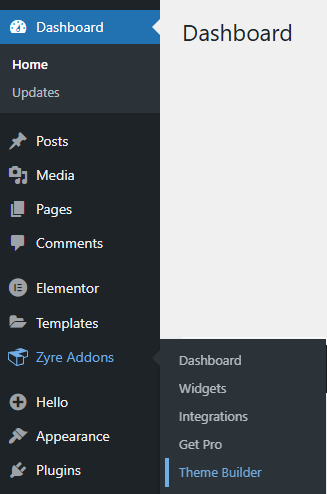
Log in to your WordPress admin panel and navigate to Dashboard → Zyre Addons → Theme Builder to open the Theme Builder management page.
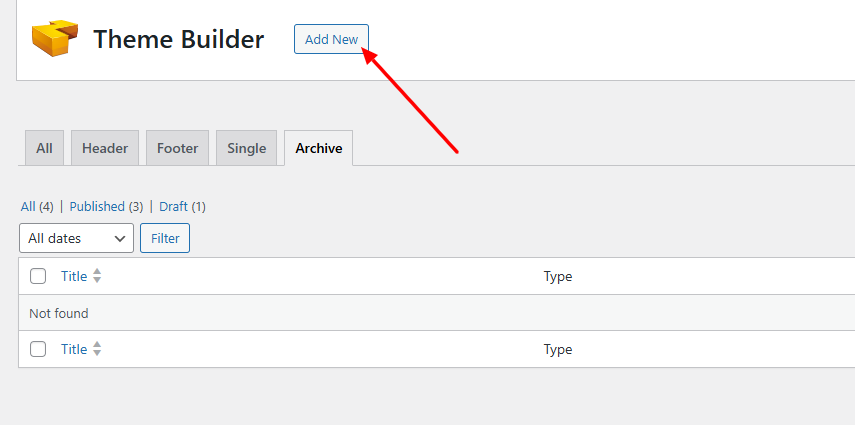
Step 2: Add a New Template
- Click Add New Button to begin creating a new template.
Step 3: Create a Archive Post Template
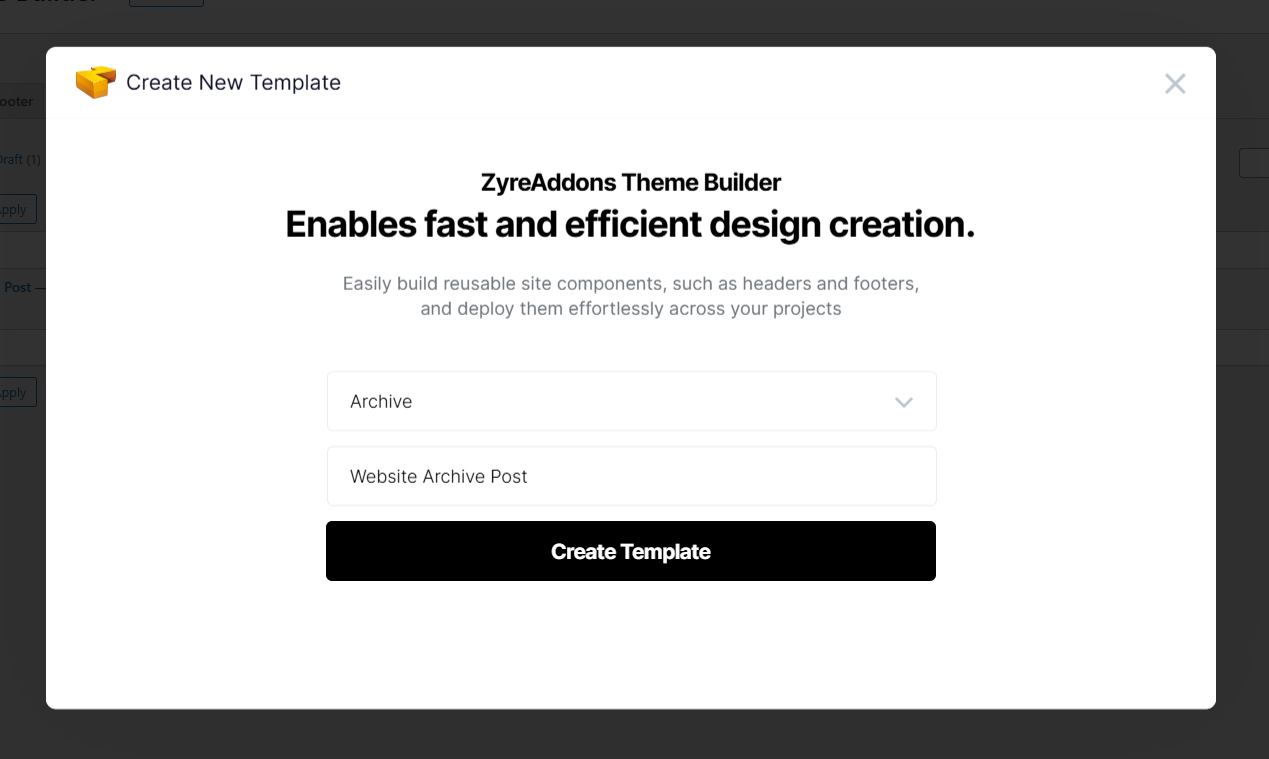
- In the template type selection, choose Archive.
- Enter a name for your Archive Post or page template.
- Click Create Template.
This will open the Elementor editor.
Step 4: Design the Archive Post Layout and Publish
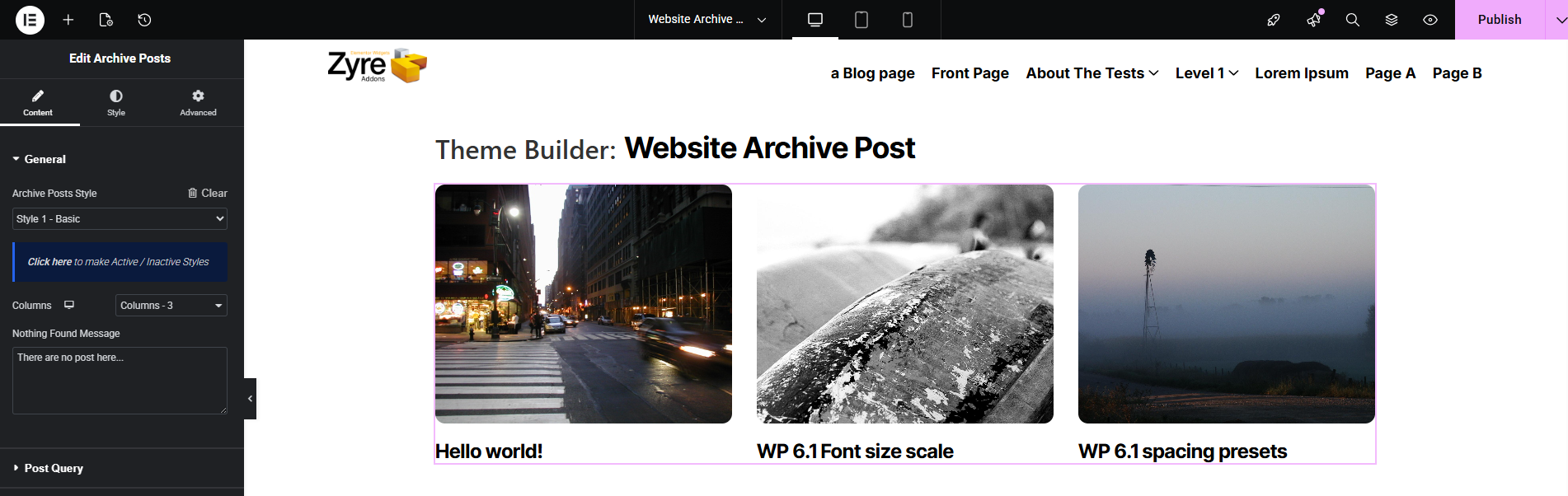
- Use Zyre widgets (post title, post grid, post content, etc.) to build your Archive Post layout as you want.
- Once your design is complete, click Publish.
Step 5: Set Display Conditions
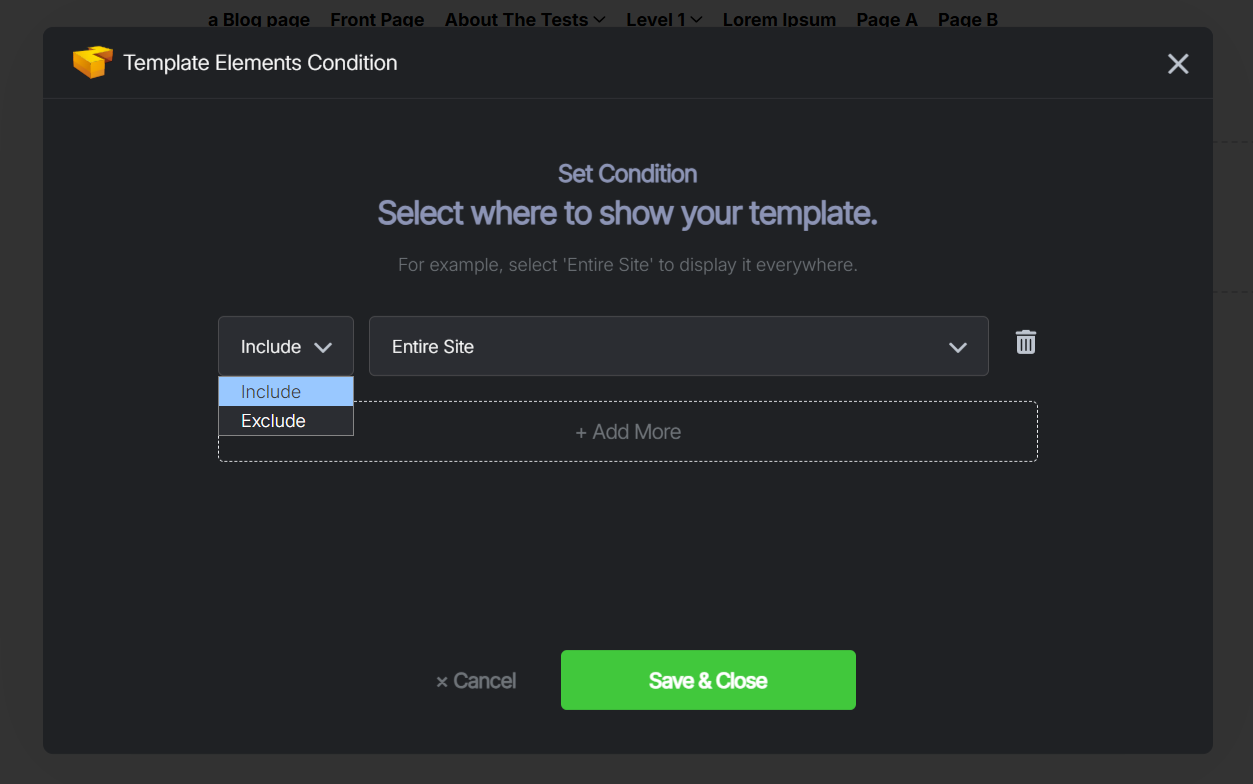
- A Template Display Conditions modal will appear after clicking on the publish button.
- Choose where the Post should appear:
- Include or Exclude
- Include : Determines where the post will be shown.
- Exclude : Determines where the post will NOT be shown, even if included elsewhere.
- Entire Site : Displays the post across all pages, posts, archives, and custom content.
- Singular : Shows the post on Archive posts, pages, and custom post types or Front page.
- Archives : Do not apply archive conditions to Archive Post templates, as archives use separate layouts.
- Include or Exclude
- Click Save & Close to confirm.
These conditions control exactly where the post is applied.
Step 6: View the Archive Post on Your Website
After saving the conditions, your post will automatically appear on the selected pages. Any future edits to the post template will update everywhere it’s applied—no need to edit pages individually.
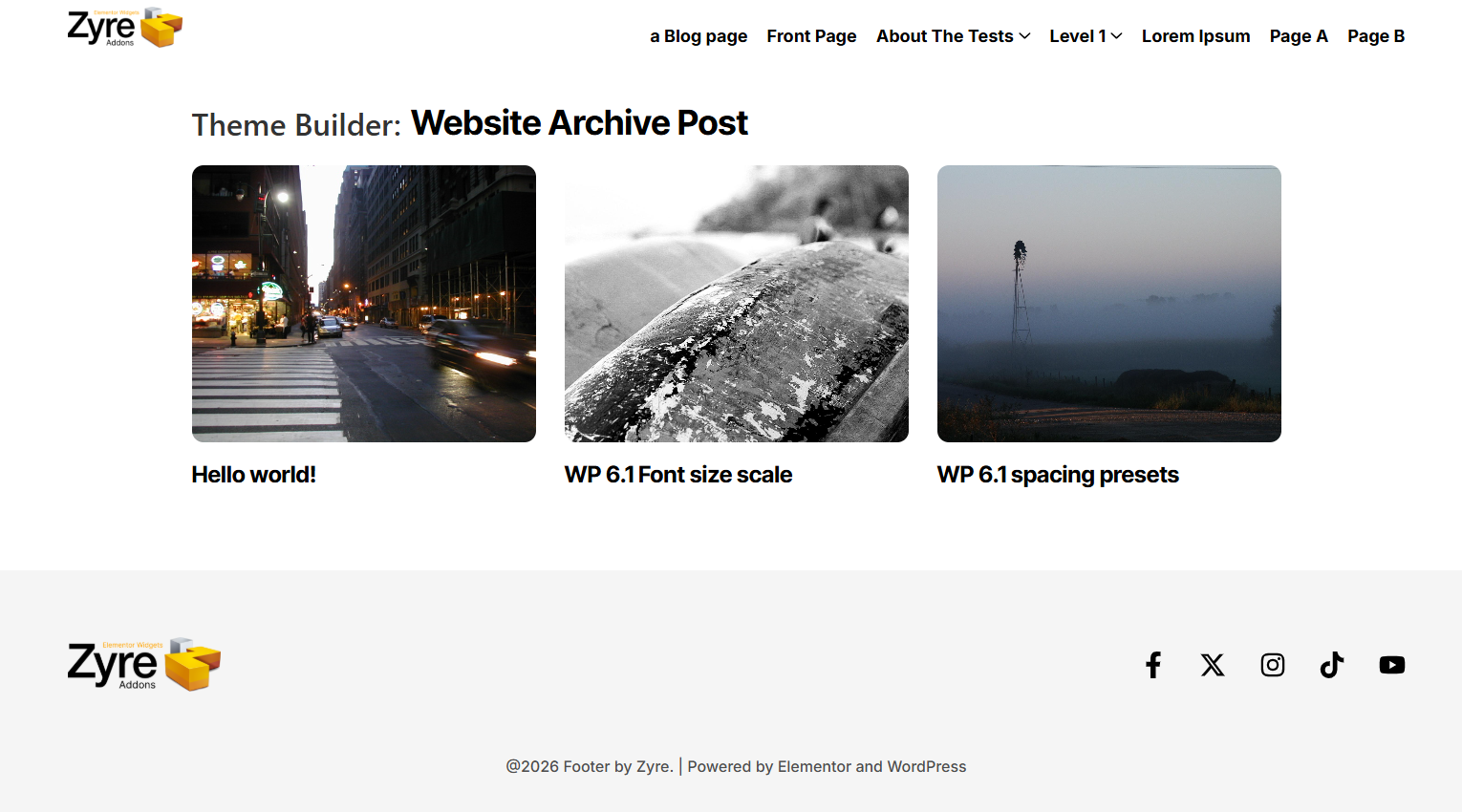
⚠️ Important Note: If your theme or another builder (such as Elementor’s default Archive Post template or a theme-based post layout) is active, it may conflict with the Zyre Archive Post Template. To avoid overlapping layouts or unexpected results, ensure other Archive-post templates are disabled before using Zyre’s version.
